How to create and delete users in Linux || useradd || userdel
#useradd #userdel #linux #linuxessentials
How to create a user using useradd command in Linux?
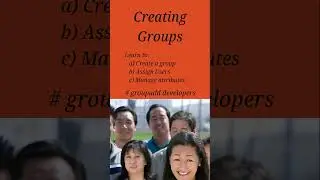
to create a new user use the useradd command. The syntax is:
#useradd username
The useradd command can be executed only with admin permissions. The details of all users are available in /etc/passwd file
The options available with useradd are:
-d: to create a home directory
-u : to add a UID of choice
-g: to assign user to an existing group
-G: to add user to supplementary group
For more details visit: https://dextutor.com/useradd-command-...
The command to delete a user is userdel. Syntax:
#userdel username
Again this command can be executed only by the admin
For more details: https://dextutor.com/userdel-command-...
Website Link: www.dextutor.com
All the material along with PPT is available at : https://dextutor.com/courses/linux-co...
Linux Essential Playlist: https://tinyurl.com/dextutorLinux
Operating System Playlist: https://tinyurl.com/dextutorOS
Operating System Lab Playlist: https://tinyurl.com/dextutorOSLab
how to use -d option with useradd
how to use -u option with useradd
how to use -g option with useradd
how to use -G option with useradd
how to use -f option with userdel
Auf dieser Seite können Sie das Online-Video How to create and delete users in Linux || useradd || userdel mit der Dauer stunde minuten sekunde in guter Qualität ansehen, das der Benutzer DexTutor 27 August 2020 hochgeladen hat, den Link mit Freunden und Bekannten teilen, dieses Video wurde auf Youtube bereits 3,348 Mal angesehen und es wurde von 61 den Zuschauern gefallen. Viel Spaß beim Betrachtenden Zuschauern gefallen!