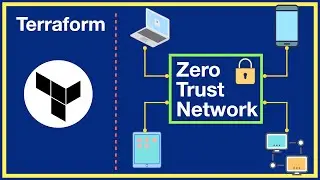
Real Time DevOps Project | Use Terraform Jenkins AWS to deploy REST API
▬▬▬▬▬▬ 🚀 Membership ▬▬▬▬▬▬
Join this channel to get access to perks:
/ @rahulwagh
▬▬▬▬▬▬ 🚀 Courses ▬▬▬▬▬▬
1. Terraform - • HashiCorp Terraform Associate Certifi...
2. Ansible - • Ansible for Beginners: Learn the Fund...
3. Prometheus & Grafana - • Getting started with Prometheus Grafa...
4. Helm Chart - • Complete Helm Chart Tutorial: From Be...
5. Hashi Corp vault - • HashiCorp Vault Installation - Part 1...
▬▬▬▬▬▬ 🚀 Timestamp ▬▬▬▬▬▬
0:00 Introduction
02:40 GitHub repo walkthrough
03:26 Jenkins Setup
07:15 Subnet Setup
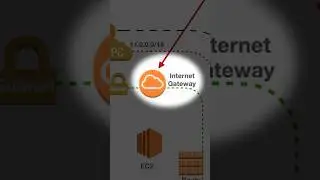
16:45 Internet Gateway setup
18:47 Route Table setup
26:02 EC2 instance and Jenkins setup
47:52 Load balancer setup
52:34 Hosted zone setup
01:10:45 Deploy REST API Application
Welcome to this step-by-step tutorial on deploying a Python Flask application on AWS using Jenkins, Terraform, and MySQL RDS. In Part 1, we set up Jenkins on an EC2 instance in the eu-west-1 region, and in Part 2, we deployed our Flask app to eu-central-1 with a MySQL RDS database.
🔗 Project Overview:
1. Jenkins Setup: Learn how to automate your CI/CD pipeline by provisioning Jenkins on an EC2 instance in the eu-west-1 region using Terraform.
2. Flask App Deployment: Deploy a Python Flask application on EC2 instances in the eu-central-1 region, ensuring high availability with a load balancer.
3. Database Configuration: Utilize MySQL RDS for your app's data storage, providing a scalable and managed database solution.
🌐 Custom Domain and HTTPS:
Application URL: Visit our live Flask app at https://jhooq.org with a custom domain for a professional touch.
Jenkins Subdomain: Access Jenkins securely at https://jenkins.jhooq.org for continuous integration and deployment management.
🌍 AWS Services Used:
1.Regions: eu-west-1 (Jenkins) and eu-central-1 (Flask App and MySQL RDS)
2. Load Balancer: Achieve scalability and fault tolerance for your Flask app with an AWS Elastic Load Balancer.
3. Route 53 and ACM: Implement a custom domain using Route 53 and ensure secure communication with ACM for HTTPS.
🛠️ Code and Configuration:
Find all the Terraform scripts and configuration files on our GitHub repository
👉 GitHub Repository:
1. DevOps Python Flask - https://github.com/rahulwagh/devops-p...
2. Terraform Jenkins - https://github.com/rahulwagh/terrafor...
3. Python Flask REST API - https://github.com/rahulwagh/python-m...
🔧 Follow Along:
1. Set up Jenkins for CI/CD in eu-west-1.
2. Deploy Python Flask app with MySQL RDS on eu-central-1.
3.Configure custom domain and subdomain with Route 53 and ACM.
📚 Resources:
👍 Like, Share, Subscribe, and hit the Bell icon for more DevOps tutorials!
#DevOps #AWS #Terraform #Jenkins #Flask #MySQL #CI/CD
Auf dieser Seite können Sie das Online-Video Real Time DevOps Project | Use Terraform Jenkins AWS to deploy REST API mit der Dauer stunde minuten sekunde in guter Qualität ansehen, das der Benutzer Rahul Wagh 01 Januar 1970 hochgeladen hat, den Link mit Freunden und Bekannten teilen, dieses Video wurde auf Youtube bereits 51,611 Mal angesehen und es wurde von 1.8 tausend den Zuschauern gefallen. Viel Spaß beim Betrachtenden Zuschauern gefallen!