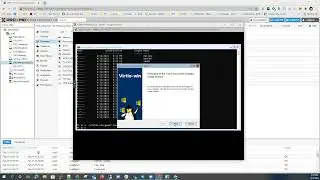
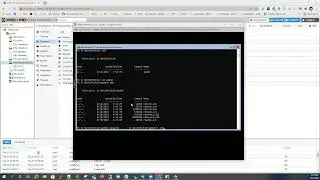
Installing Nutanix CE on VMware ESXi 6 with quick instructions
Installing Nutanix CE on VMware ESXi 6
Instructions:
rename img to ce.vmdk
ls -la ce-flat.vmdk
*************************************************
rw-r--r- 1 root root 7444889600 Feb 6 17:24 ce-flat.vmdk
*********************************************************************************
vmkfstools -c 7444889600 -a lsilogic temp.vmdk
rm -rf temp-flat.vmdk
mv temp.vmdk ce.vmdk
vi ce.vmdk (point to ce-flat.vmdk)
****************************************************************
encoding="UTF-8"
CID=fffffffe
parentCID=ffffffff
isNativeSnapshot="no"
createType="vmfs"
Extent description
RW 14540800 VMFS "ce-flat.vmdk"
The Disk Data Base
#DDB
ddb.adapterType = "lsilogic"
ddb.geometry.cylinders = "905"
ddb.geometry.heads = "255"
ddb.geometry.sectors = "63"
ddb.longContentID = "531e3ec1d000f46b530553d9fffffffe"
ddb.uuid = "60 00 C2 9d a5 b2 c6 24-5a 3b 66 e4 a5 7b 20 8a"
ddb.virtualHWVersion = "11"
On this page of the site you can watch the video online Installing Nutanix CE on VMware ESXi 6 with quick instructions with a duration of hours minute second in good quality, which was uploaded by the user AltoSpheric Youtube 08 December 2015, share the link with friends and acquaintances, this video has already been watched 14,322 times on youtube and it was liked by 24 viewers. Enjoy your viewing!