How to unlock Protected Excel Sheets without Password VBA
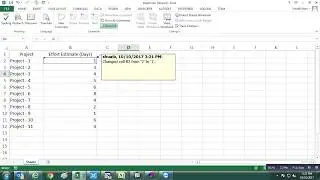
If you have ever forgotten a password for one of your excel worksheets you know how frustrating that can be.
The code used in this instruction is one of the simplest I've found. It will generate a usable code that will unlock your protected sheet.
Use Below VBA Code to Unlock Your Sheets
Sub PasswordBreaker()
'Breaks worksheet password protection.
Dim i As Integer, j As Integer, k As Integer
Dim l As Integer, m As Integer, n As Integer
Dim i1 As Integer, i2 As Integer, i3 As Integer
Dim i4 As Integer, i5 As Integer, i6 As Integer
On Error Resume Next
For i = 65 To 66: For j = 65 To 66: For k = 65 To 66
For l = 65 To 66: For m = 65 To 66: For i1 = 65 To 66
For i2 = 65 To 66: For i3 = 65 To 66: For i4 = 65 To 66
For i5 = 65 To 66: For i6 = 65 To 66: For n = 32 To 126
ActiveSheet.Unprotect Chr(i) & Chr(j) & Chr(k) & _
Chr(l) & Chr(m) & Chr(i1) & Chr(i2) & Chr(i3) & _
Chr(i4) & Chr(i5) & Chr(i6) & Chr(n)
If ActiveSheet.ProtectContents = False Then
MsgBox "One usable password is " & Chr(i) & Chr(j) & _
Chr(k) & Chr(l) & Chr(m) & Chr(i1) & Chr(i2) & _
Chr(i3) & Chr(i4) & Chr(i5) & Chr(i6) & Chr(n)
Exit Sub
End If
Next: Next: Next: Next: Next: Next
Next: Next: Next: Next: Next: Next
End Sub
En esta página del sitio puede ver el video en línea How to unlock Protected Excel Sheets without Password VBA de Duración hora minuto segunda en buena calidad , que subió el usuario Shuaib Khan 20 septiembre 2017, comparta el enlace con amigos y conocidos, en youtube este video ya ha sido visto 888 veces y le gustó 3 a los espectadores. Disfruta viendo!