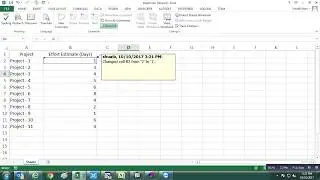
How to unlock Protected Excel Sheets without Password VBA
If you have ever forgotten a password for one of your excel worksheets you know how frustrating that can be.
The code used in this instruction is one of the simplest I've found. It will generate a usable code that will unlock your protected sheet.
Use Below VBA Code to Unlock Your Sheets
Sub PasswordBreaker()
'Breaks worksheet password protection.
Dim i As Integer, j As Integer, k As Integer
Dim l As Integer, m As Integer, n As Integer
Dim i1 As Integer, i2 As Integer, i3 As Integer
Dim i4 As Integer, i5 As Integer, i6 As Integer
On Error Resume Next
For i = 65 To 66: For j = 65 To 66: For k = 65 To 66
For l = 65 To 66: For m = 65 To 66: For i1 = 65 To 66
For i2 = 65 To 66: For i3 = 65 To 66: For i4 = 65 To 66
For i5 = 65 To 66: For i6 = 65 To 66: For n = 32 To 126
ActiveSheet.Unprotect Chr(i) & Chr(j) & Chr(k) & _
Chr(l) & Chr(m) & Chr(i1) & Chr(i2) & Chr(i3) & _
Chr(i4) & Chr(i5) & Chr(i6) & Chr(n)
If ActiveSheet.ProtectContents = False Then
MsgBox "One usable password is " & Chr(i) & Chr(j) & _
Chr(k) & Chr(l) & Chr(m) & Chr(i1) & Chr(i2) & _
Chr(i3) & Chr(i4) & Chr(i5) & Chr(i6) & Chr(n)
Exit Sub
End If
Next: Next: Next: Next: Next: Next
Next: Next: Next: Next: Next: Next
End Sub
In questa pagina del sito puoi guardare il video online How to unlock Protected Excel Sheets without Password VBA della durata di ore minuti seconda in buona qualità , che l'utente ha caricato Shuaib Khan 20 settembre 2017, condividi il link con amici e conoscenti, su youtube questo video è già stato visto 888 volte e gli è piaciuto 3 spettatori. Buona visione!