Playback From Current Time in After Effects
Adobe After Effects CC 2023: How To Playback From Current Time (
This tutorial will show you how playback from the CTI and not the beginning of the Timeline in Adobe After Effects CC 2024.
Keyboard Shortcut:
Playback Shortcut: SpaceBar
———————
⭕️ Check out my new Domestika Course on Adobe Audition:
https://mikemurphy.co/domestika
———————
How To Playback from CTI in Adobe After Effects CC 2023:
1. Open Preview Panel (Window…Preview)
2. Go to ‘Playback From’
3. Click Drop-down Menu
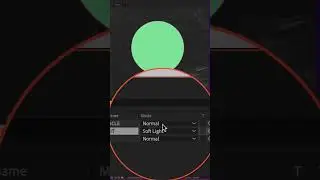
4. Change from ’Start of Range’ to ‘Current Time’
5. Drag CTI to position on Timeline
6. Tap Spacebar and preview should start wherever the CTI was located
---------------------------------------------------------------
➜Amazon Influencer Store: https://www.amazon.com/shop/mikemurphyco
➜See All My Gear: https://www.mikemurphy.co/podgear
➜ Get Adobe Creative Cloud: https://mikemurphy.co/adobe
➜Screencast Software:
Screenflow: https://mikemurphy.co/screenflow
---------------------------------------------------------------
In questa pagina del sito puoi guardare il video online Playback From Current Time in After Effects della durata di ore minuti seconda in buona qualità , che l'utente ha caricato Mike Murphy | AI Handyman 18 ottobre 2023, condividi il link con amici e conoscenti, su youtube questo video è già stato visto 40,572 volte e gli è piaciuto 776 spettatori. Buona visione!