💡 What is Bevel and Edge Slide in Blender? Read the description👇
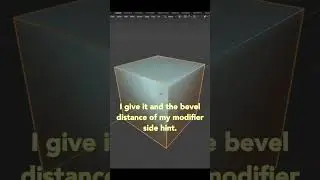
👉 Blender's Bevel tool is used to create chamfers or fillets from the edges of a mesh. You can either use it via the toolbar or by pressing the hotkey Ctrl B.
👉 Edge Slide is great for moving an edge along the direction of the surrounding edges. The fastest way to get to it is by pressing G for grab and then immediately pressing G again to toggle a slide. You can also slide vertices using the same method.
👉 Loops, paths of connected edges, are one of the core concepts in 3D modeling. To select a loop, use the hotkey Alt LMB. If you're using the Emulate 3 Button Mouse option, double click on an edge instead. To add a new edge loop, use the hotkey Ctrl R and hover your mouse over an edge that runs perpendicular to the path you want the new loop to take.
На этой странице сайта вы можете посмотреть видео онлайн 💡 What is Bevel and Edge Slide in Blender? Read the description👇 длительностью часов минут секунд в хорошем качестве, которое загрузил пользователь CG Cookie 09 Апрель 2024, поделитесь ссылкой с друзьями и знакомыми, на youtube это видео уже посмотрели 5,279 раз и оно понравилось 249 зрителям. Приятного просмотра!