After Effects: Mask & Shape Path Visibility (On/Off
After Effects CC 2021: How To Toggle On & Off Mask & Shape Path Visibility
This tutorial will show you how to toggle on & off mask & shape path visibility in Adobe After Effects CC 2021 so it is easier to see which path or mask is selected in the Composition Window.
———————
To try or buy Adobe After Effects CC 2020:
https://mikemurphy.co/adobe (affiliate link)
———————
How To Toggle On & Off Mask & Shape Path Visibility in Adobe After Effects CC 2021:
1. Open Composition with Shape Layers or layers that have Layer Masks
2. Select Layer in the Layers Panel until you see vertices (transform points)
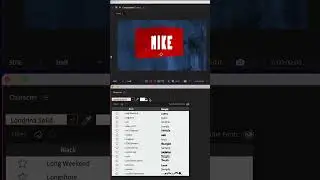
3. Click the Middle Icon below the comp wind that looks like a path/mask (it has points)
4. When icon is highlighted, the shape path/layer masks will be clearly visible.
5. Click icon to toggle on/off/
---------------------------------------------------------------
➜Amazon Influencer Store: https://www.amazon.com/shop/mikemurphyco
➜See All My Gear: https://www.mikemurphy.co/podgear
➜ Get Adobe Creative Cloud: https://mikemurphy.co/adobe
➜Screencast Software:
Screenflow: https://mikemurphy.co/screenflow
---------------------------------------------------------------
➜ VISIT MY WEBSITE:
- https://mikemurphy.co
➜ SUBSCRIBE TO PODCAST
-https://mikemurphy.co/mmu
➜ SOCIAL MEDIA:
- Instagram: / mikeunplugged
- Facebook: https://mikemurphy.co/facebook
- Twitter: / mikeunplugged
- YouTube: https://mikemurphy.co/youtube
Amazon Associates Disclosure:
Mike Murphy is a participant in the Amazon Services LLC Associates Program, an affiliate advertising program designed to provide a means for sites to earn advertising fees by advertising and linking to Amazon.com
In questa pagina del sito puoi guardare il video online After Effects: Mask & Shape Path Visibility (On/Off della durata di ore minuti seconda in buona qualità , che l'utente ha caricato Mike Murphy Co 23 settembre 2021, condividi il link con amici e conoscenti, su youtube questo video è già stato visto 22,460 volte e gli è piaciuto 132 spettatori. Buona visione!